
Alerts for your own responses
Alerts about responses you post yourself are managed differently from alerts about stories in your subscriptions.
To manage alerts about your own responses, go to your profile page (linked from your name at the top left, when you are logged in). You will see the alerting options under "response preferences".
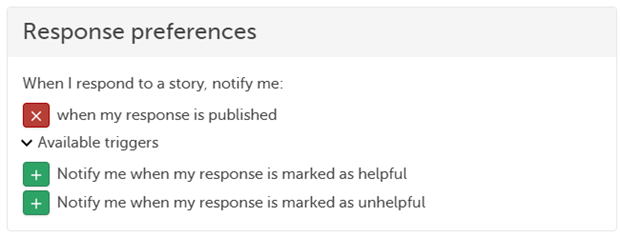
You can set these alert options as you wish:
- Notify me when my response is published
- Notify me when my response is marked as helpful
- Notify me when my response is marked as unhelpful
To add an alert trigger for your own responses, select the green plus button next to the trigger. To remove an alert trigger, select the red X button.
Last update:
25/08/2023 14:48:22